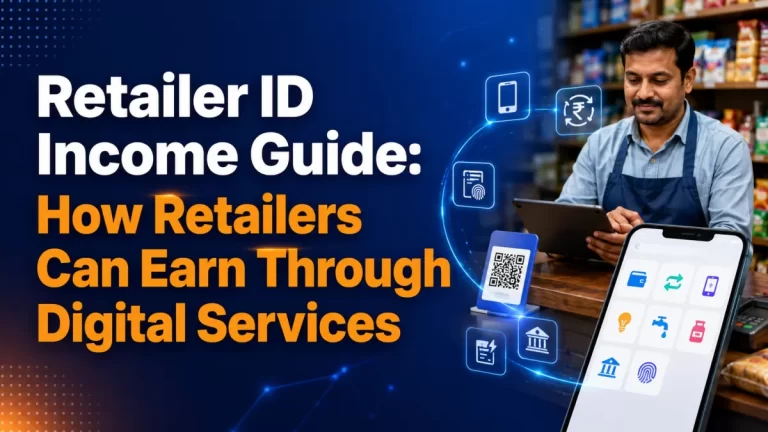
Retailer ID Income in Salem: How to Track Daily Commission in Your Shop
Retailer ID income in Salem is easy to talk about and surprisingly hard to measure. Commission lands in small amounts all day, the wallet balance moves up and down with every bill or withdrawal, and cash in the drawer mixes with your normal shop sales. Without a simple tracking habit, it is almost impossible to say what the counter really earned.
This guide is about that one skill: tracking. It shows shop owners in Salem, Attur, Namakkal, Erode and Mettur how to separate float from earnings, record each service, close the day in a few minutes and review the numbers every week.
If you are still deciding whether to apply, start with our overview of the retailer ID in Salem and the basic retailer ID income guide. This article assumes you already run, or are about to run, a retailer counter and now want clear numbers.
Table of Contents
Why Tracking Retailer ID Income in Salem Matters
A retailer ID adds many small transactions to a shop that already handles cash sales. A customer pays an electricity bill, another recharges a phone, a third withdraws cash with a fingerprint. Each one may earn a small commission, but each one also moves money in and out of your wallet and your drawer.
When those movements are not written down, three problems appear quickly:
- You cannot tell whether a busy day was also a profitable day.
- A shortage in the drawer or wallet goes unnoticed until it becomes large.
- You do not know which services deserve more attention and which ones barely pay for the time they take.
Tracking fixes all three. It does not need software or accounting training. A notebook, a phone calculator and ten quiet minutes at closing time are enough for most shops.
There is also a planning reason. The YoursPay retailer page says clearly, at the time of writing, that earnings depend on transaction volume and that no income is guaranteed. Your own records are the only honest way to see what your counter produces over time.
Three Money Pots: Wallet Float, Cash Drawer and Commission
The biggest source of confusion is treating all the money as one pile. It helps to think of your retailer ID business as three separate pots that you check every day.
| Pot | What it holds | Is it your income? |
|---|---|---|
| Wallet float | The balance you load into the retailer wallet so you can pay bills, recharges and transfers for customers | No. It is your working money that gets used up and refilled |
| Service cash | Cash customers hand you for bills, recharges and transfers, and cash you pay out for AEPS withdrawals | No. Most of it belongs to the wallet or the customer |
| Commission | The amount credited to you for completed transactions | Yes, before your own costs |
When a customer pays a Rs 800 bill in cash, your drawer goes up by Rs 800 and your wallet goes down by about the same amount. Nothing has been earned except the commission on that one transaction. If you count the Rs 800 as income, your daily figures will look far better than reality.
AEPS works the other way round. When a customer withdraws cash with a fingerprint, you hand over cash from the drawer and the amount is credited to your wallet. The drawer shrinks, the wallet grows, and again only the commission is yours.
Keep this picture in mind. Every tracking step below is simply a way of keeping these three pots apart.
Set Up a Simple Daily Register for Your Retailer ID
You can use a ruled notebook, a printed sheet or a basic spreadsheet on your phone for your retailer ID register. The format matters less than doing it every day. A register with these columns covers most counters:
| Column | What to write |
|---|---|
| Time | Approximate time of the transaction |
| Service | Bill, recharge, AEPS, money transfer, FASTag, ticket or other |
| Amount | The value of the bill, recharge, withdrawal or transfer |
| Cash in / cash out | Whether cash came into the drawer or went out |
| Status | Success, pending or failed |
| Reference | Last few digits of the transaction ID from the app |
| Commission | The amount shown in the app, if it shows immediately |
Writing one line per transaction feels slow in the first week. After that, most shop owners manage it in a few seconds, usually while the receipt prints or the customer counts their change.
If your counter is busy, you can simplify. Keep tally marks per service during the day and copy the exact figures from the app dashboard at closing time. The YoursPay page mentions a simple dashboard for transactions, receipts and reconciliation, which makes this shortcut practical.

Track Each Retailer ID Service Separately
Retailer ID income rarely comes from one service. The YoursPay retailer ID currently covers mobile and DTH recharge, bill payments through BBPS, AEPS cash withdrawal, domestic money transfer, FASTag and ticket booking. Each one behaves differently at the counter.
- Bill payments: steady, repeat visits around due dates each month. Good for building a regular customer list.
- Recharges: quick and frequent, often small amounts. They fill the gaps between bigger jobs.
- AEPS withdrawals: need cash in your drawer and a fingerprint device. Busy on some days, quiet on others.
- Money transfer: fewer transactions, but each takes more care with account numbers and IFSC codes.
- FASTag and tickets: occasional, but useful for customers who would otherwise go elsewhere.
Commission may also be worked out differently for each service. Some may pay a fixed amount per transaction, others may depend on the value. Do not assume. Ask for the current commission sheet in writing and keep a copy inside your register.
Recording per service lets you answer useful questions later. How many bills did you pay this month? How much time did money transfers take? Did AEPS bring new faces to the shop? These answers guide your next decision far better than a single daily total.
A Five-Minute Closing Routine for Daily Commission
The most useful habit is a short routine before you pull down the shutter. It turns a day of scattered entries into three clear numbers. Follow the same order every evening:
- Count the service cash. Separate the cash that came in for bills, recharges and transfers from your normal shop sales.
- Note the AEPS cash paid out. Add up the cash you handed to customers for withdrawals.
- Check the wallet balance. Write the closing balance shown in the app.
- Read the commission total. Copy the day’s commission from the dashboard or wallet statement.
- Balance the pots. Opening wallet plus top-ups plus AEPS credits, minus payments made for customers, should roughly equal the closing wallet balance.
- Mark exceptions. Circle any pending or failed transaction so you can follow it up tomorrow.
If the numbers do not balance, do not ignore the gap. Most differences come from a missed entry, a pending transaction or cash mixed with shop sales. Finding it on the same day takes minutes. Finding it at the end of the month can take hours.
Matching Your Register With the Wallet Statement
The YoursPay retailer FAQ explains, at the time of writing, that commissions are credited to the retailer wallet, typically on a daily basis, and can be settled to your bank account. That gives you two independent records to compare with your own notebook.
Once a day, compare your register with the app. Once a week, compare the app with your bank account. The flow looks like this:
- Your register shows what you believe happened at the counter.
- The wallet statement shows what the platform recorded.
- Your bank statement shows what was actually settled to you.
When all three agree, your retailer ID income figure is reliable. When they disagree, the difference usually points straight to the problem, such as a transaction you forgot to write, a commission not yet credited, or a settlement that is still in process.
Ask the YoursPay team how commission and settlement entries appear in the app, and how long a settlement usually takes to reach your bank. Knowing the normal pattern makes an unusual entry easy to spot.

Handling Failed, Pending and Reversed Transactions
Every retailer ID counter sees a few transactions that do not complete cleanly. They are the main reason daily figures go wrong, so give them their own section in your register.
- Failed: the app shows the transaction did not go through. Make sure the customer’s money is returned or the wallet is not debited, and write down what you did.
- Pending: the status is not final. Do not repeat the payment. Note the reference number and check the status again later.
- Reversed: the amount returns to the wallet after a failure. If commission was shown earlier, check whether it has also been reversed.
Customers also need clear proof. Give a receipt with the transaction reference for every bill or transfer. Our guide on how to read a payment receipt explains what the key fields mean, which helps you answer questions calmly.
For general information on how BBPS and AEPS work across banks and billers, you can refer to the National Payments Corporation of India website. For any specific failed transaction, follow the complaint steps given by YoursPay and keep the reference number safe.
Weekly and Monthly Review: Turning Numbers Into Decisions
Daily tracking protects your cash. Weekly and monthly reviews help your retailer ID business grow. Set aside twenty minutes every Sunday evening or Monday morning to look at the bigger picture.
| Measure | How to work it out | What it tells you |
|---|---|---|
| Transactions per service | Count lines or tallies for each service | Which services customers actually use |
| Commission per service | Add commission by service for the week | Where your retailer ID income really comes from |
| Busiest days and hours | Look at the time column | When to keep float and cash ready |
| Failed or pending count | Count circled entries | Whether network, device or data entry needs attention |
| New versus repeat customers | Tick repeat names in a small customer list | Whether the counter is building loyalty |
At the end of each month, write one line of conclusion. For example: “Bill payments grew, AEPS stayed flat, transfers took too much time on Saturdays.” That single sentence is often more useful than pages of figures.
Also note your own monthly costs, such as mobile data, printer paper and a share of electricity. Commission minus these costs is the real retailer ID income your counter adds to the household.
A Worked Example of One Day’s Log
The figures below are invented only to show how the arithmetic works. They are not YoursPay commission rates. Your actual rates will be on the commission sheet you receive, which you should always get in writing.
Say a provision store in Salem uses these made-up commissions to practise: Rs 2 per bill payment, Rs 1 per recharge, Rs 4 per AEPS withdrawal and Rs 5 per money transfer. In one day the register shows:
| Service | Count | Example commission each | Example total |
|---|---|---|---|
| Bill payments | 12 | Rs 2 | Rs 24 |
| Recharges | 15 | Rs 1 | Rs 15 |
| AEPS withdrawals | 6 | Rs 4 | Rs 24 |
| Money transfers | 2 | Rs 5 | Rs 10 |
| Total | 35 | – | Rs 73 |
The shop owner then compares Rs 73 with the commission shown in the app. If the app shows Rs 69, there is a Rs 4 gap to explain, perhaps one AEPS withdrawal that failed or a commission still to be credited. The register makes that gap visible on the same evening.
Notice also what the example does not say. It does not predict how many customers you will get or what any real service pays. Replace every number with your own before drawing conclusions.
Common Tracking Mistakes Shop Owners Make
Most retailer ID tracking problems come from a few habits that are easy to fix once you notice them:
- Counting float as income: money loaded into the wallet or collected for a customer’s bill is not earnings.
- Mixing drawers: keeping retailer cash and shop sales in the same compartment makes reconciliation guesswork. Use a separate pouch or tray.
- Skipping failed entries: a failed transaction that is not written down is the one you forget to follow up.
- Relying on memory: by evening, nobody remembers the details of the tenth recharge.
- Checking the bank only monthly: weekly checks catch a delayed settlement while it is still easy to trace.
- Letting staff share one login: each person should follow the process you set, and the login should stay protected.
Separating retailer ID money from household money is a related habit that makes every review easier. Our article on how to separate business and personal finances covers simple ways to do this in a small shop.
Using Your Records for Planning and Tax Time
Good records do more than show daily commission. Over a few months they become a small history of your retailer ID business, which is useful in several ways.
- Float planning: you can see how much wallet balance and cash your busiest days really need.
- Service choices: you can decide which services to promote with a board or a word to regular customers.
- Family budgeting: you know what the counter contributes, so you do not plan household spending on a hopeful guess.
- Tax and accounts: commission is business income. Keep the register, wallet statements and bank statements together for your accountant.
Tax rules for small businesses can change, so do not rely on general advice for your own return. The Income Tax Department website and a local tax professional are the right sources for what applies to you.
Store your register safely. A photo of each completed page, saved in a dated folder on your phone, protects you if the notebook is lost or damaged.
Local Points for Salem Shop Counters
Retailer ID counters around Salem see patterns worth recording. Many customers pay utility bills close to due dates, so bill payments may cluster in certain weeks. Market days in towns such as Attur or Mettur can bring bursts of AEPS and recharge requests.
Your retailer ID register will show your own pattern within a month or two. Use it to decide when to top up the wallet, when to keep extra cash for withdrawals and when a family member should help at the counter. Tracking turns local knowledge into numbers you can act on.
If you want to add bill payment services or understand the full list of services available on a retailer ID, the YoursPay BBPS and retailer ID page lists them at the time of writing. Confirm the current terms before you plan around any service.
Frequently Asked Questions
How do I know my real retailer ID income in Salem?
Add up the commission credited for completed transactions, then subtract your own running costs such as data, paper and electricity. Do not count wallet top-ups or cash collected for customer bills as income.
When is retailer commission paid by YoursPay?
At the time of writing, the YoursPay FAQ says commissions are credited to the retailer wallet, typically daily, and can be settled to your bank account. Confirm the current settlement process with the team.
Do I need software to track commission?
No. A notebook or a simple phone spreadsheet is enough. The app dashboard helps you check totals, and your bank statement confirms settlements.
What should I do if my register and the app do not match?
Check for missed entries, pending transactions and cash mixed with shop sales first. If the gap remains, note the transaction references and contact YoursPay support.
Should I track each service separately?
Yes. Different services bring different customers and may earn commission in different ways. Service-wise records show where your retailer ID income actually comes from.
Is retailer ID income fixed every month?
No. It depends on how many transactions you process. YoursPay states that no income is guaranteed, which is why steady tracking matters.
Want to start or expand your counter? Visit the retailer ID and BBPS page or contact YoursPay to ask for the current commission sheet and onboarding details.
This article is general information, not financial or tax advice. Services, commission and settlement details are taken from the YoursPay website at the time of writing and may change. Figures in the example are hypothetical. Please confirm current terms in writing.