PAN Card Application Mistakes: 12 Checks for Salem
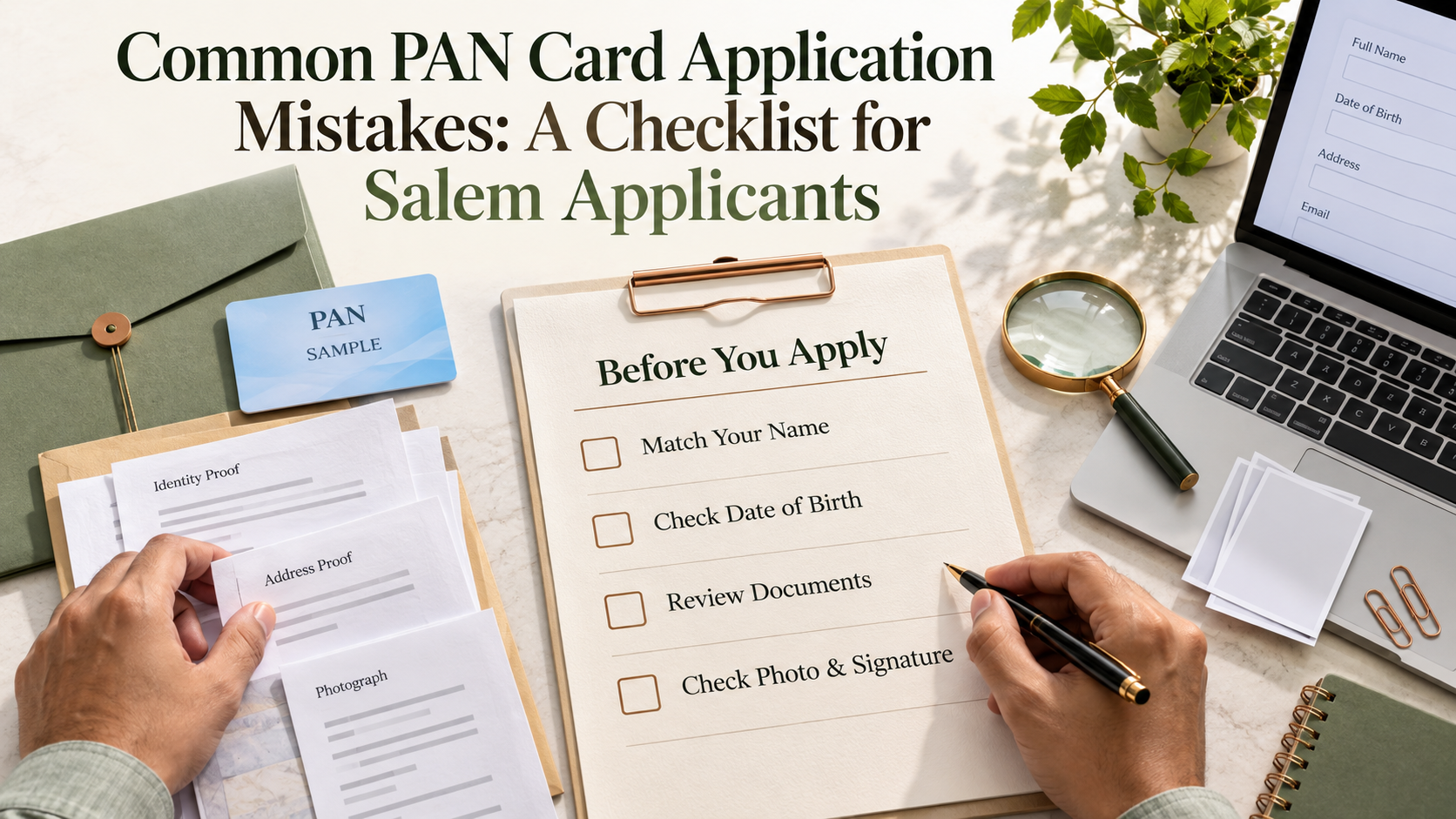
Common PAN Card Application Mistakes: A Checklist for Salem Applicants
PAN card application mistakes can lead to additional document requests, processing delays, or incorrect details that need correction later. Many problems begin with something small: an initial entered in the wrong field, an outdated form, or a document that does not meet the requirement.
For applicants in Salem, checking the application before submission can save another visit to a service centre.
The most useful starting point is to identify what you need. Are you applying for your first PAN, correcting an existing record, or requesting another copy of a lost card? These are different requests.
This guide explains twelve mistakes to avoid and provides a checklist you can use before submitting your application.
Guidance checked on 26 September 2026. PAN application forms and document requirements changed from April 2026, so use the current official instructions rather than an older downloaded form.
1. Applying for a New PAN When You Already Have One
Losing a PAN card does not mean you need a new PAN number.
Similarly, changing your address, correcting your name, or getting married does not normally require a second PAN.
Choose the request that matches your situation:
| Your situation | Appropriate starting point |
|---|---|
| You have never been allotted a PAN | New PAN application |
| Your existing PAN details are incorrect | Change or correction request |
| Your card is lost or damaged, but the details are correct | Reprint or eligible download facility |
| You are unsure whether a PAN was already allotted | Check your records and seek official assistance before applying again |
Look through previous tax records, bank documents, or application acknowledgements if you are unsure.
If an earlier application is still pending, track it before starting another one. Repeated applications can create confusion about which request is being processed.
The Income Tax Department’s Instant e-PAN guidance specifically says that its new-allotment service is not for someone who already has a PAN but has lost the card.
2. Using an Old Form or Choosing the Wrong Applicant Category
An application form saved several years ago may no longer be suitable.
From 1 April 2026, the standard new-PAN forms distinguish between individual and non-individual applicants, as well as Indian and foreign applicants.
| Applicant category | Current standard new-PAN form |
|---|---|
| Individual who is an Indian citizen | Form 93 |
| Indian non-individual entity | Form 94 |
| Individual who is not an Indian citizen | Form 95 |
| Foreign non-individual entity | Form 96 |
Correction requests use the applicable change or correction process, rather than a fresh-allotment form.
Check the official Income Tax Department PAN information before selecting a form.
Your location in Salem does not determine the applicant category. Citizenship and the legal nature of the applicant matter.
If you are applying for a business, clarify whether the request concerns an individual proprietor, a partnership, a company, or another entity before proceeding.
3. Entering Initials or an Unsupported Expanded Name
Names require particular care when your documents use initials.
For example, one record might show “R. Kumar,” while another shows an expanded name. Do not guess what the initial represents or move it into a surname field simply to complete the form.
Current standard-form instructions provide for entering the expanded name and, where applicable, the name appearing in Aadhaar. The expanded name must be supported appropriately.
Before submission:
- Compare the spelling across your documents.
- Check the order of the name components.
- Follow the instructions for each name field.
- Review how the name will appear on the PAN card.
- Resolve unexplained differences before submitting.
Read Protean’s current PAN application instructions if your Aadhaar name contains initials.
If a service operator fills the form, ask to see the completed name fields. Do not approve an unfamiliar expansion without checking it.
4. Assuming Aadhaar Is Sufficient Date-of-Birth Proof
This is an important change for applicants using the standard PAN application route.
The current Form 93 document list accepts Aadhaar as proof of identity and address, but not as proof of date of birth.
You need an accepted birth-date document for that requirement. Depending on the applicable conditions, examples include an Indian passport, a recognised board’s matriculation certificate or marksheet, or an eligible birth certificate.
The document must satisfy the relevant requirements, including showing the applicant’s name and complete date of birth.
For individuals born on or after 1 October 2023, the prescribed birth certificate requirement applies.
Check the full current Form 93 supporting-document list before selecting your evidence.
Do not mix up standard applications and Instant e-PAN
The Income Tax Department separately describes an Instant e-PAN service for eligible individuals using Aadhaar authentication.
Its published eligibility includes having no existing PAN, a valid Aadhaar with a linked mobile number, and not being a minor.
Follow the live instructions for the route you actually choose. Do not assume the document process for one route automatically applies to another.
5. Uploading a Document That Does Not Prove the Required Detail
A document can be accepted for one purpose without being accepted for another.
For instance, a document suitable for identity verification may not establish your current address or complete date of birth.
Prepare a simple document checklist:
| Requirement | What to verify |
|---|---|
| Identity | The document is accepted and identifies the applicant |
| Address | The document supports the address required by the application |
| Date of birth | The document meets the birth-date evidence requirements |
| Correction evidence | The document supports the specific change requested |
Also check any age limit on the document. Some accepted address documents must be recent.
Make sure uploaded copies are readable. A cropped page, reflected light, or blurred photograph can hide the very detail the provider needs to check.
Do not alter a document image to make its details match the form. Correct the underlying record or seek guidance on acceptable supporting evidence.
6. Providing an Incomplete or Unsupported Address
A correct name will not prevent delivery problems if the communication address is incomplete.
Check:
- Door or flat number.
- Street and locality.
- Village, town, or city.
- District and state.
- PIN code.
- Communication-address selection.
Avoid using only a nearby landmark when a proper postal address is available.
Read the distinction between residence, office, and communication address in the current form. Selecting an office address for communication may involve additional supporting requirements.
If you recently moved within Salem district, check whether your chosen proof supports the address you are entering.
Ask the operator to read back the PIN code and delivery address before submission.
7. Using a Mobile Number or Email You Cannot Access
Application updates are only useful if you receive them.
A mistyped email address can prevent you from receiving a document or notification. An old mobile number can make authentication or follow-up difficult.
Check the contact details character by character.
For Aadhaar-based authentication, make sure you can receive the OTP on the mobile number linked to Aadhaar.
Where applicant contact details are required, avoid casually substituting a service operator’s personal number or email. For a minor or representative application, follow the specific contact instructions.
Keep control of authentication. Enter OTPs yourself through the genuine application process wherever possible, and never disclose banking passwords or payment PINs to someone offering application assistance.
8. Following Outdated Photo and Signature Instructions
Photo and signature requirements depend on the application mode.
A physical submission, a scanned-document application, and an Aadhaar-based paperless process may not require the same actions.
Common problems include:
- Uploading an unclear signature.
- Using a photograph that does not meet the current specification.
- Signing outside the required area.
- Missing a signature or declaration.
- Following an old tutorial instead of the current form.
Check the dimensions, file format, file size, and signature placement shown by the portal or current form.
Do not add signatures or photographs to every available space “just in case.” Follow the instructions for the selected route.
Before uploading, open each file at a readable size to check its contents.
9. Entering Parent or Representative Details Without Checking
Parent details and representative information should not be treated as fields to fill from memory.
Check the spelling against your supporting records and follow the current form’s instructions.
If you are applying for a minor, use the appropriate process and supporting documents. A minor is not eligible for the Income Tax Department’s Instant e-PAN new-allotment service.
Single-parent circumstances and representative applications may require particular selections or declarations. Ask for clarification rather than entering invented information to move past a required field.
The person assisting you should explain which category applies and why.
10. Not Checking the Application Route, Card Option, and Charges
An electronic PAN and a physical PAN card are different delivery options. Selecting an electronic-only option does not mean a physical card will automatically arrive later.
Before paying, confirm:
| Question | What you need to know |
|---|---|
| Which route is being used? | Standard application, correction, reprint, or eligible Instant e-PAN |
| Is a physical card included? | Whether printing and delivery are requested |
| What is the provider’s application charge? | The charge displayed for the selected service |
| Is there a separate assistance fee? | What the local service centre charges for its work |
| What receipt will I receive? | Payment evidence and application acknowledgement |
The Income Tax Department’s own Instant e-PAN service is described as free for eligible applicants. This does not mean every PAN-related service or assisted application is free.
Check the official Instant e-PAN FAQs before choosing that route.
If you need local assistance, review YoursPay’s PAN card services in Salem and ask for the process and total charges before proceeding.
11. Assuming Payment Means the Application Is Complete
Paying the fee and completing the application are not always the same step.
Depending on the route, you may still need to complete authentication, upload documents, sign a declaration, or send required physical papers.
Read the final instructions carefully.
Protean distinguishes between paperless modes and applications that require physical submission. Follow the submission instructions for your selected application mode.
Before closing the page or leaving the counter, ask:
- Has the application been submitted?
- Is any verification still pending?
- Are documents still required?
- Do I need to send anything physically?
- How will I know if additional information is requested?
If the portal shows a payment failure or an interrupted submission, check the existing request before paying again.
12. Losing the Acknowledgement or Ignoring Follow-Up Messages
Keep the application reference or acknowledgement as soon as it is generated.
The exact reference format depends on the provider. Save:
- Application acknowledgement.
- Payment receipt.
- Submitted application copy, where available.
- List or copies of supporting documents.
- Any deficiency notice or support correspondence.
An acknowledgement confirms a recorded application or request. It does not itself mean that PAN allotment, correction, or dispatch is complete.
Track the request through the official provider used for submission. If a document query appears, respond through that provider’s process.
If the application is rejected, read the reason before starting again. If a PAN has already been allotted, use the appropriate correction or reprint route rather than requesting another PAN number.
PAN Application Checklist for Salem Applicants
Use this checklist immediately before submission.
| Check | Confirm before proceeding |
|---|---|
| Existing PAN | I have checked whether I already have a PAN |
| Request type | I selected new allotment, correction, or reprint correctly |
| Current form | I am using the form currently required for my category |
| Name | Spellings, initials, and expanded details follow the instructions |
| Date of birth | The date matches accepted evidence |
| Documents | Each document supports the requirement for which it is submitted |
| Address | Postal details and PIN code are complete |
| Contact information | I can access the required mobile number and email |
| Photo and signature | They meet the selected route’s specifications |
| Parent or representative details | Required details and declarations are correct |
| Charges and card option | I understand the total and whether a physical card is included |
| Submission | Any remaining authentication or document steps are clear |
| Acknowledgement | I have saved the application reference and payment receipt |
Questions to Ask a PAN Service Centre
Before handing over documents, ask which authorised provider or application channel the centre uses.
Then ask:
- Which request type and form apply to me?
- Are my documents acceptable under the current requirements?
- How should my initials and expanded name be entered?
- What are the application and assistance charges?
- Will I receive an electronic PAN, physical card, or both?
- Will I receive the submitted application and acknowledgement?
- Who will help if the provider requests additional documents?
Be cautious about guaranteed approval or a promised delivery date that ignores verification.
For services advertised by YoursPay, use the contact page to confirm availability and the documents to bring.
Frequently Asked Questions
What are the most common PAN card application mistakes?
They include selecting the wrong request type, using an outdated form, entering inconsistent names, submitting unsuitable documents, and leaving authentication or submission steps incomplete.
Which form should an Indian individual use for a new PAN?
Under the standard process introduced from April 2026, an individual who is an Indian citizen uses Form 93. Eligible applicants may separately consider the Income Tax Department’s Instant e-PAN route.
Can Aadhaar be used as date-of-birth proof for Form 93?
The current Form 93 document list marks Aadhaar as proof of identity and address, but not date of birth. Provide accepted birth-date evidence for that route.
What should I do if my Aadhaar name contains initials?
Follow the current instructions for the expanded-name and Aadhaar-name fields. Provide supporting evidence for the expanded name rather than guessing or changing the order casually.
Should I apply for a new PAN after losing my card?
No. If you already have a PAN, use an appropriate reprint or eligible download facility. A lost card does not mean the PAN number has ceased to exist.
Can a minor apply through Instant e-PAN?
The Income Tax Department’s published Instant e-PAN eligibility excludes minors. Use the appropriate standard application process with the required representative and supporting details.
Does paying an application fee guarantee approval?
No. The application must still meet the relevant verification and document requirements. Keep the acknowledgement and monitor its status.
Can a service centre correct my application after submission?
What can be changed depends on the provider, request status, and whether a PAN has already been allotted. Contact the provider with your acknowledgement before making another application.
Application rules and portal procedures can change. Use the current official instructions for your applicant category and submission route.