Money Transfer Service in Salem: How to Send Money to Any Bank Account
A money transfer service in Salem lets you walk up to a counter, hand over cash, and send money to a bank account anywhere in India, even if you do not use net banking or a smartphone app. For many families and small traders, it is still the simplest way to pay someone who lives in another town.
This guide explains the whole process in plain steps: what the service is, which details you must carry, how the transfer is done at the counter, and how to confirm that the money has reached the right account. It is written for people in Salem, Attur, Namakkal, Erode, Mettur and nearby villages who want to send money with confidence.
Service details quoted here are taken from the YoursPay website at the time of writing. Charges, limits and processes can change, so confirm the current terms at the counter before you send money.
Table of Contents
What a Money Transfer Service in Salem Actually Does
A walk-in money transfer service is often called Domestic Money Transfer, or DMT. You visit a service point, give the receiver’s bank details, pay the amount, and the service point sends it electronically to the receiver’s bank account. The receiver does not need to visit any shop to collect it.
The YoursPay money transfer service in Salem is described on its service page as a way for customers to walk in to any YoursPay touchpoint and send money to a bank account anywhere in India. The page says the service runs through partner banks and is routed through the national payment network operated by NPCI.
In simple terms, the counter acts as your helper. You bring the details and the cash, and the operator uses a banking platform to push the money into the receiver’s account. You then get a confirmation message and a receipt as proof.
Who Finds a Walk-In Transfer Useful
Not everyone is comfortable with mobile banking, and not every situation suits an app. A counter-based money transfer service in Salem fills that gap for many different people.
- Parents supporting children who study or work elsewhere: sending hostel fees or monthly expenses to a son or daughter in Chennai, Coimbatore or Bengaluru.
- Small traders paying suppliers: a shop owner who collects cash all day and needs to pay a wholesaler’s bank account.
- Elderly customers: people who prefer to deal with a person across the counter rather than a screen.
- People without a working bank app: for example, when a phone is lost, a mobile number has changed, or net banking is not set up.
- Families paying for functions or treatment in another town: advance payments to a hall, caterer or hospital account.
If you already use digital payments comfortably, you may still find a counter handy when you need to send money from cash in hand without first depositing it at your own bank branch.
What to Carry Before You Visit the Counter
The most common reason a transfer goes wrong is incomplete or incorrect details. According to the YoursPay money transfer page, the first step is to provide the receiver’s name, account number and IFSC at the counter. Collect these before you leave home.
| What to carry | Why it is needed | Practical tip |
|---|---|---|
| Receiver’s name as per bank records | Helps the operator add the right beneficiary | Use the name printed on the passbook, not a nickname |
| Receiver’s account number | Identifies the exact account to credit | Get it in writing or as a photo, never from memory |
| IFSC of the receiver’s branch | Tells the system which bank and branch to send to | Copy it from the passbook or a cheque leaf |
| Your own mobile number | For registration and SMS confirmation | Carry the phone that uses this number |
| Your ID for KYC | The service page states payments are KYC verified | Ask the counter which ID they accept |
| The amount in cash | To pay for the transfer and any service charge | Ask for the total before you count out the money |
It helps to write everything on one small sheet of paper. Show that sheet to the operator instead of reading numbers aloud, which reduces the chance of a digit being misheard in a busy shop.
How to Get the Account Number and IFSC Right
The account number and IFSC are the two details that decide where your money lands. Take a few extra minutes to get them right, because a wrong digit can send money to a different account.
The best sources for these details are:
- The front page of the receiver’s passbook: it normally shows the account number, branch name and IFSC.
- A cancelled cheque leaf: the IFSC and account number are usually printed on it.
- A bank statement or the bank’s app: the receiver can take a screenshot and send it to you.
An IFSC is an 11-character code. The first four letters show the bank, and the last characters identify the branch. If the receiver has moved to a new branch or their bank has merged with another bank, the old IFSC may no longer be the right one, so ask them to confirm it.
If you are unsure about a code, the Reserve Bank of India website has general information about bank branch codes and payment systems. You can also ask the receiver to confirm the details with their own branch.
Step-by-Step: How to Send Money at a Service Point
The YoursPay money transfer page describes a simple three-part flow: share the beneficiary details, pay, and the transfer is made. Here is what that usually looks like in practice when you use a money transfer service in Salem.
- Greet the operator and say you want to send money to a bank account. Mention the receiver’s bank so they know what to expect.
- Complete your own registration if you are a first-time sender. The counter may record your mobile number and complete KYC verification as required by the partner bank.
- Hand over the sheet with the receiver’s details. The operator adds the receiver as a beneficiary using the name, account number and IFSC.
- Listen to the read-back. Ask the operator to read the account number and name back to you, or show you the screen.
- Confirm the amount and the service charge. Agree on the total before you pay.
- Pay by cash, wallet or registered account. These are the payment options listed on the service page.
- Wait for the confirmation. The page mentions real-time transfer with SMS confirmation, subject to the receiver’s bank.
- Collect the receipt. Check the amount, receiver’s name, last digits of the account and the reference number before you leave.
The first visit takes a little longer because of registration. On later visits, the same receiver may already be saved, which makes the process quicker. Even then, check the saved details each time.
Double-Check These Details Before You Pay
Once a transfer is sent to a valid account, it is very hard to pull it back. The receiving bank cannot simply return money from someone else’s account without that person’s consent or a proper process. Prevention is far easier than recovery.
Before you hand over the cash, run through this short check:
- Every digit of the account number matches your written sheet.
- The IFSC matches the receiver’s bank and branch.
- The receiver’s name on the screen, if it is shown, matches the person you mean to pay.
- The amount on the screen is exactly what you intend to send.
- The mobile number for SMS alerts is yours and is typed correctly.
If anything looks unfamiliar, stop and call the receiver. A two-minute phone call is a small price for peace of mind, especially when you send money for fees, rent or a large family payment.
Paying for the Transfer: Cash, Wallet or Account
The service page lists three ways to pay for a transfer: cash, wallet or a registered account, all KYC verified. Most walk-in customers pay in cash, because that is the main reason they use a counter in the first place.
A service charge usually applies to counter transfers. YoursPay states that its charges are transparent with no hidden fees. Because charges are set by the service provider and partner bank and can change, always ask for the charge on your exact amount before you pay, and check that it appears on your receipt.
A simple habit helps here. Ask the operator, “What is the total I need to pay for sending this amount?” Then count out only that total. This avoids confusion between the amount being sent and the fee.
After You Send Money: SMS, Receipt and Credit
Your job is not finished when the operator says “done”. A good money transfer service in Salem gives you two pieces of proof, and you should check both.
- The SMS confirmation: read it at the counter. It should show the amount and a transaction reference.
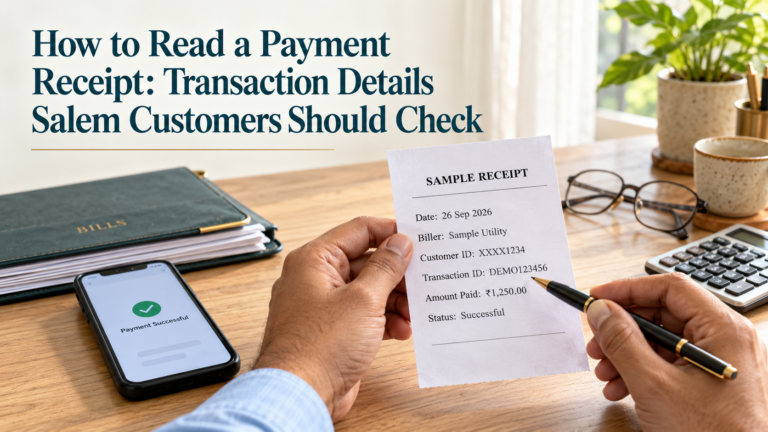
- The printed or digital receipt: it should show the date, amount, charge, beneficiary details and a reference number.
Our guide on how to read a payment receipt explains what each part of a receipt means and which numbers matter if you need to raise a query later.
Next, ask the receiver to check their account or SMS alerts. Credits are usually quick, but the service page notes that timing is subject to the receiving bank. If the receiver cannot see the money after a reasonable time, go back to the same counter with your receipt and reference number so the operator can check the status.
Keep the receipt safely until the receiver has confirmed the credit. For larger or regular payments, keep receipts for a few months in a single folder or take clear photos of them on your phone.
Sending to Different Banks and Account Types
The YoursPay page says the service supports all major banks and offers pan-India bank reach. That means you can usually send money to public sector banks, private banks and many other banks that are part of the national payment network.
A few situations are worth knowing about:
- Savings and current accounts: both can usually receive transfers, as long as the details are correct.
- Small or basic accounts: some accounts have limits on how much they can receive in a period. The receiver can check this with their bank.
- Dormant or closed accounts: a transfer may fail or be returned. Ask the receiver to confirm the account is active.
- Recently merged banks: the IFSC may have changed, so confirm the latest code.
Behind the counter, bank transfers travel on national payment systems such as IMPS and NEFT. You do not need to understand the technical side to send money, but you can read more about these systems on the NPCI website.
Counter Transfer or Mobile App: A Quick Comparison
Both options have a place. The table below helps you decide which suits a particular payment.
| Point | Walk-in counter | Mobile banking or UPI app |
|---|---|---|
| Starting point | Cash in hand | Money already in your bank account |
| Smartphone needed | No, a basic phone for SMS is enough | Yes, with the app set up |
| Help available | Operator guides you in person | You do it yourself |
| Service charge | Usually a counter charge applies | Depends on your bank and app |
| Proof of payment | SMS and receipt from the counter | In-app history and bank SMS |
| Best suited for | First-time users, cash payers, elderly customers | Regular users comfortable with apps |
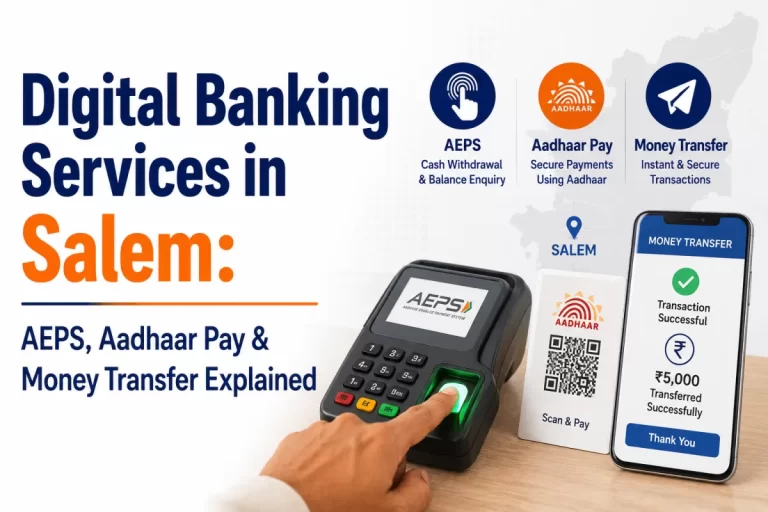
Many families use both. A young person may pay bills on an app, while parents prefer to send money for a relative’s needs through a counter they trust. For a wider view of these options, read our guide to digital banking in Salem.
Safety Tips Every Sender Should Follow
Most transfers go through smoothly. Problems usually start before the counter, when someone is tricked into sending money to a stranger. Keep these habits in mind.
- Verify every request by phone: if a relative asks for money through a message from a new number, call their old number first.
- Be wary of urgent pressure: messages about prizes, job offers, parcels or “account blocked” warnings that ask you to send money quickly are common tricks.
- Never share an OTP with a caller: genuine bank staff will not ask for your OTP, PIN or password on the phone.
- Use only details you have checked: do not accept a new account number over chat without confirming it by voice.
- Keep your receipt: it is your main proof if something goes wrong.
If you believe you have been cheated, act quickly. You can report online fraud on the National Cyber Crime Reporting Portal at cybercrime.gov.in or call the helpline 1930, and also inform your bank and the service point that made the transfer.
A Simple Checklist to Keep in Your Wallet
Keep this short checklist on a card or in your phone notes. It covers the points that matter most each time you visit a counter.
- Receiver’s full name as per bank records.
- Account number, copied from a passbook, cheque or statement.
- Correct IFSC for the receiver’s current branch.
- Your ID and the phone that receives your SMS alerts.
- Total amount including the service charge, agreed before payment.
- Read-back of details done before you pay.
- SMS and receipt checked before you leave.
- Receiver has confirmed the credit.
Following these eight points will prevent almost all of the everyday mistakes that make a transfer slow or stressful.
Finding the Money Transfer Service in Salem and Nearby Towns
YoursPay says its money transfer service is available across its retailer and business correspondent network, with local-language support at every counter. That is helpful for customers who prefer to explain their needs in Tamil.
YoursPay serves Salem, Attur, Namakkal, Erode and Mettur, with its head office in Hasthampatti, Salem. The branch is at Second Floor, Raj Complex, 21, Yercaud Main Road, Hasthampatti, and is open Monday to Saturday from 9:30 AM to 6:00 PM, closed on Sunday, at the time of writing.
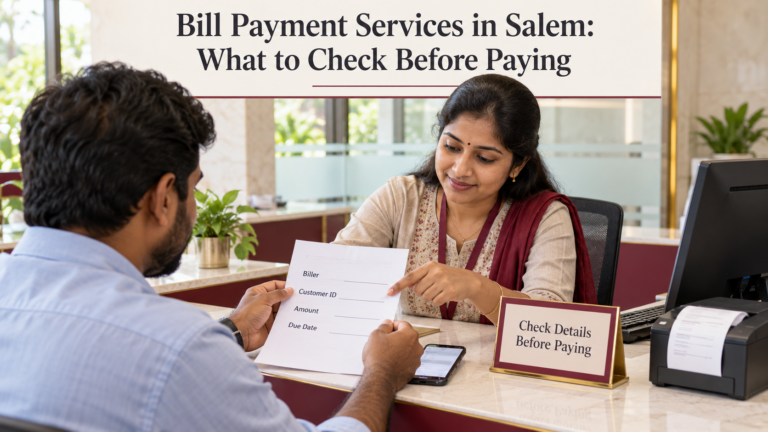
If you are not sure which counter is closest to you, call +91 98945 76238 or use the YoursPay contact page. Many service points also handle bill payments, so you can finish several errands in one visit. Our guide to bill payment services in Salem covers that side.
Frequently Asked Questions
Can I use a money transfer service in Salem without a bank account?
Walk-in counters are designed for customers who pay in cash, and the service page lists cash as a payment option. You will still need to complete KYC verification as required. Ask the counter which documents they need from you.
What details do I need to send money to someone’s account?
You need the receiver’s name, account number and the IFSC of their branch. Carry your mobile phone and ID as well, so the counter can register you and send the SMS confirmation.
How long does the money take to reach the receiver?
The YoursPay page describes the transfer as real-time, subject to the receiving bank. Most credits are quick, but occasional delays can happen because of bank or network issues. Keep your receipt until the receiver confirms the credit.
Can I send money to any bank in India?
The service page mentions pan-India bank reach and support for all major banks. If the receiver’s bank is small or recently merged, confirm the IFSC before you visit.
What happens if I give a wrong account number?
If the wrong number belongs to a valid account, the money may be credited to that account and recovery can be difficult. Contact the counter and your bank at once with the receipt. This is why a read-back before payment matters.
Are there charges for sending money?
A service charge usually applies at the counter. YoursPay states that its charges are transparent with no hidden fees, but always ask for the exact charge on your amount before you pay.
Ready to send money to family or a supplier? Visit the YoursPay money transfer page for service details, or contact the Salem team to find a counter near you.
This article is general information, not financial or legal advice. Service details are taken from the YoursPay website at the time of writing and may change. Charges, limits and processing times depend on the service provider, partner banks and payment networks, so please confirm the current terms before you send money.