Payment Complaint in Salem: 7 Essential Steps
How to Raise a Payment Complaint in Salem: Documents and Transaction Details to Keep
To raise a payment complaint in Salem, start with the transaction reference, amount, date, and a clear description of what went wrong. Submit the complaint through the bank, payment app, or service provider involved, and keep the acknowledgement for follow-up.
Perhaps your account was debited, but the shopkeeper says the money has not arrived. Your electricity bill may still appear unpaid after a counter payment. Or a refund promised by a provider may not show in your account.
Each problem needs the right records and the right complaint route. A clear complaint helps the support team identify the transaction and understand the action you are requesting.
This guide explains what to keep, whom to contact, and how to follow up.
Suspect Fraud? Report It Immediately
If you notice an unauthorised payment or believe someone has tricked you into transferring money, contact your bank immediately through its official fraud-reporting channel.
Call 1930 and report the incident through the National Cyber Crime Reporting Portal. Follow the instructions for completing the report and keep the acknowledgement.
Do not wait to collect every document before reporting suspected fraud. Preserve messages, phone numbers, payment details, and screenshots as you go. Prompt reporting can help authorities act, but it does not guarantee recovery.
For routine payment failures and service disputes, follow the steps below.
1. Identify the Exact Payment Problem
Before contacting support, check the transaction in your payment app and bank statement.
Describe what you can confirm. For example, “My account was debited, and the app shows pending” is more useful than “My money is missing.”
| Problem | What to check first |
|---|---|
| Payment failed and money was debited | Whether a matching reversal has already arrived |
| Payment remains pending | The latest status in the original payment channel |
| Recipient says money was not received | Recipient details, transaction reference, and bank debit |
| Bill still appears unpaid | Correct consumer number, bill-payment status, and biller records |
| Duplicate payment | Both transaction references and both debits |
| Refund has not arrived | Refund confirmation, initiation date, and reference, if available |
| Money sent to the wrong account | Recipient details entered and the completed transaction record |
| Payment was not authorised by you | Report immediately to the bank and cybercrime channels |
A successful payment followed by a dispute about goods or services is different from a technical payment failure. Explain which situation applies so the provider can use the appropriate process.
Do not assume a payment has failed simply because the recipient has not received an SMS.
2. Collect the Documents for Your Payment Complaint in Salem
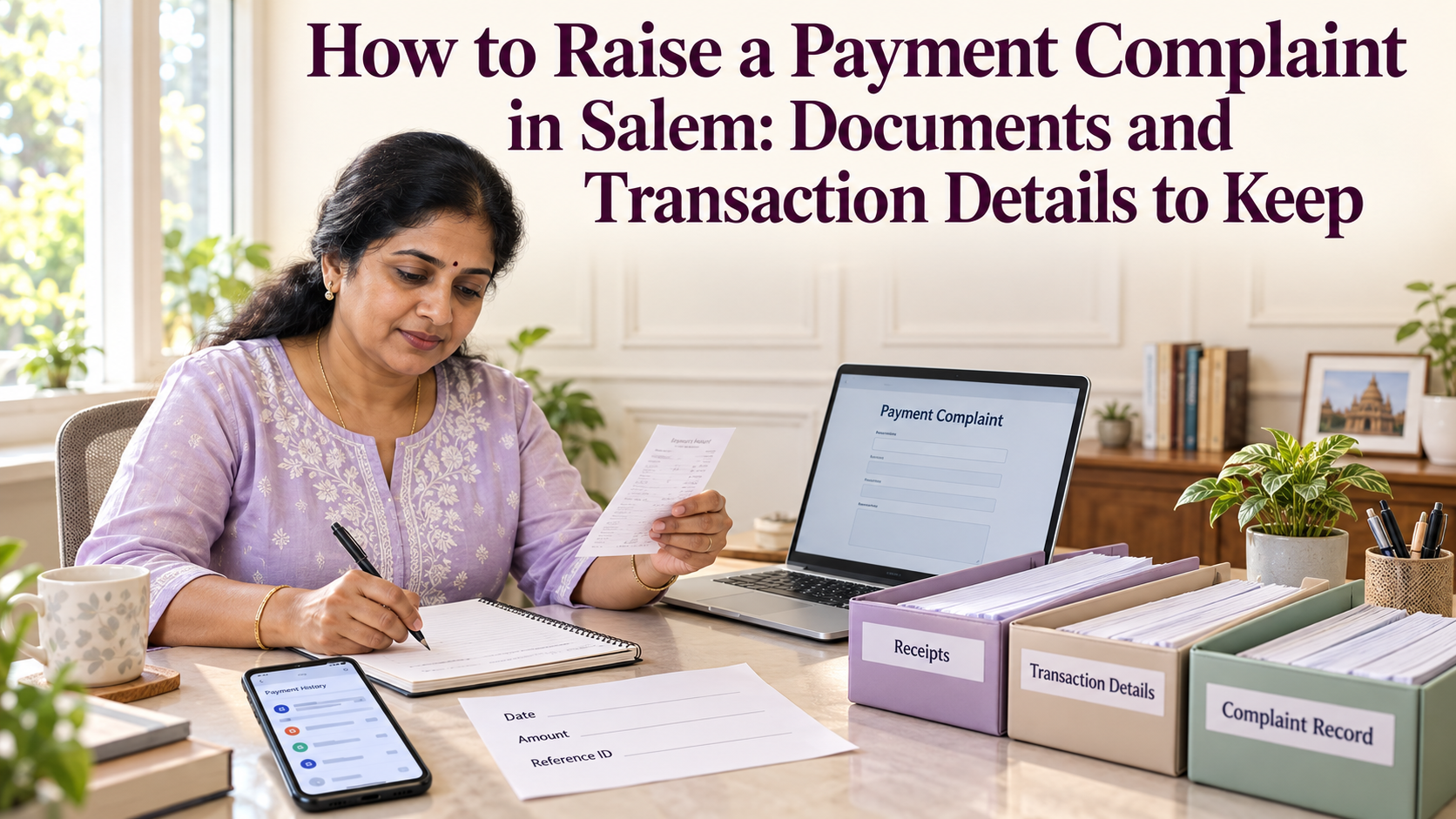
Keep a small folder containing the transaction evidence and your complaint history.
You do not need to send every financial document you own. Start with the records that identify the payment and demonstrate the problem.
Essential transaction details
| Detail | Where to find it |
|---|---|
| Transaction date and time | App history, receipt, or bank statement |
| Amount | Transaction screen and debit entry |
| Payment method | UPI, card, bank transfer, cash at a counter, or another method |
| Transaction reference | App details, bank record, or payment receipt |
| Bank or payment provider | App, statement, or receipt |
| Recipient or merchant details | Payment confirmation or invoice |
| Biller and consumer number | Bill and bill-payment receipt |
| Current status | Latest transaction screen |
| Relevant debit or credit entry | Bank or wallet statement |
| Previous complaint number | Support acknowledgement |
Different providers use labels such as transaction ID, bank reference, UTR, RRN, or order ID. These labels do not always refer to the same identifier.
Copy each reference exactly as displayed and retain its label. An order number may help a merchant find a purchase, while a bank reference helps trace the payment.
Supporting documents to keep
Depending on the problem, useful evidence may include:
- The original payment receipt.
- A screenshot showing the transaction status.
- The relevant bank statement entry.
- The bill or invoice you intended to pay.
- A refund confirmation.
- Written communication from the merchant or biller.
- Previous support responses.
- An acknowledgement of cash received at a counter.
Keep original copies unchanged. If you share a redacted copy, preserve the original privately in case the authorised support team needs it.
If you paid through a local counter
Record the outlet name, location, visit date, and the provider shown on the receipt.
Where you transferred money to a retailer who then processed a bill, keep both references:
- Your payment to the retailer.
- The retailer’s bill-payment transaction.
The first transfer does not by itself prove that the bill was successfully paid.
3. Complain Through the Original Payment Channel
Begin with the provider involved in the transaction. Use contact details from the official app, website, statement, or verified branch.
Avoid calling an unfamiliar number found in a social media comment or unsolicited message.
For a UPI payment
Open the original transaction and look for the app’s help or complaint option. Explain the issue and save the ticket number.
Contact your account-holding bank as appropriate, particularly for an unexplained debit or an unresolved payment issue. Follow the app and bank’s published escalation process.
NPCI’s official UPI page also directs customers to its UPI Help service for transaction-related queries.
For a card payment
Contact the card-issuing bank through its official support channel. Keep the merchant invoice and payment records.
If the merchant says a refund has been issued, request the refund date, amount, and tracing reference where available. Ask the bank which documents and dispute deadlines apply to your case.
For a bill payment
Contact the app or counter that processed the payment. If the transaction shows successful but the bill remains unpaid, also contact the biller with the consumer number and payment reference.
For transactions made through an eligible Bharat Connect channel, check the Bharat Connect customer complaint page and follow its instructions.
For a YoursPay-related transaction
Use the YoursPay complaint process or its official contact page.
YoursPay’s published process describes complaint registration, acknowledgement, investigation, and communication of the resolution. Ask for the reference number and confirm which underlying bank or payment provider is responsible for the transaction.
The YoursPay digital services page may help identify the service category. It does not replace the transaction details on your receipt.
4. Write a Short, Specific Complaint
A useful complaint answers five questions:
- What payment did you make?
- When did you make it?
- What happened?
- What evidence are you attaching?
- What action do you want?
Keep the wording factual. If the recipient reports non-receipt, say that rather than claiming you have independently verified their account.
Sample payment complaint
Subject: Payment complaint — ₹[amount] — transaction reference [reference]
Dear Support Team,
I am raising a complaint about a payment made on [date] at [time] through [app, bank, or outlet].
The transaction details are:
- Amount: ₹[amount]
- Payment method: [method]
- Transaction reference: [reference exactly as displayed]
- Recipient or biller: [name]
- Consumer or order number, if relevant: [number]
- Current status: [successful, pending, or failed]
My account was debited, but [describe the issue clearly]. As of [date and time], [state whether the payment, reversal, or refund is still missing].
I have attached the payment receipt, relevant statement entry, and supporting screenshots.
Please investigate, confirm the transaction’s final status, and arrange the appropriate correction or reversal if applicable. Please also provide a complaint reference number and the applicable resolution timeline.
Previous complaint reference, if any: [reference]
Name: [name]
Registered contact details: [details required by the official channel]
Thank you.
If you complain in person
Take a copy of your written complaint and ask for an acknowledgement showing the date received.
If you need help explaining the problem, request assistance in Tamil. Keep the transaction numbers written clearly so they can be entered accurately.
5. Track the Complaint and Check the Applicable Timeline
Record each follow-up in one place.
| Date | Contact channel | Complaint reference | Response received | Next action |
|---|---|---|---|---|
| [Date] | [App, bank, or counter] | [Reference] | [Brief summary] | [Action and date] |
Ask support to distinguish between:
- Acknowledging your complaint.
- Investigating the transaction.
- Initiating a reversal or refund.
- Crediting the money to your account.
These are different stages.
Some failed-payment timelines are prescribed by RBI
For specified domestic failures under RBI’s framework:
| Failure type | Prescribed outer limit |
|---|---|
| UPI transfer debited but beneficiary not credited | Reversal by T+1 if the beneficiary cannot be credited |
| UPI merchant payment debited without confirmation at the merchant | Auto-reversal within T+5 |
| ATM or micro-ATM debit without cash dispensed | Reversal within T+5 |
T means the transaction’s calendar date. For these listed failures, the framework provides ₹100 per day for delay beyond the applicable limit, credited automatically where due.
These rules do not mean every refund, wrong-recipient transfer, or merchant dispute follows the same timetable. Ask the bank to identify the applicable category. See the RBI failed-transaction and compensation framework.
You can report a problem immediately; you do not need to wait for an outer resolution limit to expire before notifying the provider.
6. Escalate an Unresolved Payment Complaint
If the response does not address the issue, use the provider’s published grievance escalation route.
Send the original complaint number, relevant evidence, and a short explanation of what remains unresolved. Keep all related references together.
When can you approach RBI?
For an eligible complaint against a covered regulated entity, first complain to that entity and retain proof.
RBI’s current FAQ permits escalation when you are dissatisfied with its reply or resolution, or when no reply arrives within 30 days or an applicable longer period specified by RBI, NPCI, or card-network guidelines.
Use the RBI Complaint Management System and check the current eligibility and filing deadlines in the RBI Ombudsman FAQ.
The process is free for eligible complaints. Not every outlet, organisation, or dispute falls within the scheme. Salem customers do not need to identify a particular Ombudsman office to use the centralised route.
A provider’s general “30-day complaint process” does not replace a shorter applicable failed-transaction reversal requirement.
For suspected fraud, continue cooperating with the bank and cybercrime authorities rather than treating it only as a routine service complaint.
7. Verify the Result Before Treating the Complaint as Closed
When support says the issue is resolved, check the actual result.
Depending on your complaint, confirm that:
- The reversal or refund appears in your account.
- The biller has updated the correct consumer account.
- The recipient has received the payment.
- A duplicate payment has been refunded or adjusted as agreed.
- Any applicable compensation has been addressed.
- You have received a written explanation if the claim was rejected.
If a refund is marked “initiated,” ask when and how you can trace the credit. Keep following up if the promised result has not occurred.
For cash paid at a counter, confirm whether the refund will come from the outlet and obtain an acknowledgement when it is returned. A credit to the retailer’s account does not mean you have received your money.
Retain the records while the dispute, any escalation, or related accounting requirement remains active.
Protect Your Information During Follow-Up
A payment problem can make an unexpected “refund assistance” call seem convincing.
Do not disclose your UPI PIN, card PIN, CVV, banking password, or transaction OTP. Do not make another payment merely to “unlock” a refund.
Share evidence only through verified support channels. Avoid posting full bank statements, account numbers, identity documents, or receipts publicly.
For an initial complaint, masked account details may be sufficient. If an official secure process needs additional information, verify the request and provide only what is necessary.
You do not need to include Aadhaar or PAN copies with every payment complaint. Submit identity documents only when legitimately required through a verified process.
Mistakes That Make Complaints Harder to Resolve
Avoid these common problems:
- Giving an approximate amount when the exact amount is available.
- Sending screenshots that hide the transaction reference.
- Quoting an order ID as though it were a bank reference.
- Deleting the original receipt after creating a support ticket.
- Paying again before checking a pending transaction.
- Describing a merchant refund dispute as a failed transfer.
- Relying only on a phone conversation without keeping a reference.
- Assuming a “closed” ticket means the money has arrived.
If a detail was entered incorrectly in your complaint, correct it promptly and keep a record of the correction.
Frequently Asked Questions
What documents do I need for a payment complaint in Salem?
Start with the receipt, transaction reference, date, amount, latest status, and relevant bank statement entry. Add the bill, invoice, refund confirmation, or earlier complaint response when relevant.
Can I complain without a printed receipt?
Yes. Check your app history, SMS, email, or bank statement for evidence. For a counter transaction, ask the outlet for a duplicate receipt or transaction record.
Are the transaction ID and complaint number the same?
Usually, they serve different purposes. A transaction reference identifies the payment, while a complaint number tracks the support case. Keep both.
Should I pay the bill again if the first payment is pending?
Check the first payment with the provider and biller before retrying. It may later succeed and create a duplicate. If the due date is close, ask the biller how to proceed.
Will a wrong-recipient payment automatically be refunded?
Not necessarily. Report it to your bank or payment app immediately. Recovery depends on the circumstances and applicable process; it is not a guaranteed automatic reversal.
Do I need to wait 30 days to report fraud?
No. Contact the bank immediately and report suspected financial cyber fraud through 1930 and the official cybercrime portal. Ombudsman escalation conditions are separate from immediate fraud reporting.
Where should I raise a YoursPay payment complaint?
Start with the official YoursPay complaint page. Keep your receipt ready and ask for an acknowledgement, the responsible payment provider, and the applicable resolution timeline.
Keep the Evidence Together
A clear payment complaint in Salem begins with a simple record: the transaction, the problem, the evidence, and the action requested.
Keep that record updated until you have checked the actual result. A receipt and a short follow-up history can make it much easier to explain your case when it moves from a counter or app to a bank or grievance team.
This article provides general consumer guidance. Resolution, compensation, and escalation eligibility depend on the transaction and applicable rules.